Get the current APK
Open the verified download route in your browser and save the Android package. Do not rename or modify the file.
Looking for the Pin Up app download in Kenya? This independent guide explains the Android APK route, iPhone Home Screen setup, installation, updates, login, M-Pesa access and common fixes.
The mobile service can be opened in a browser, installed as an Android APK or saved to an iPhone Home Screen. The best option depends on your device and how you prefer to manage updates.
The Pin Up app places account login, sports and games, promotions, balance tools and the cashier inside a phone-sized interface. An existing account should work across the Android app and mobile website with the same login details.
Our Kenya-facing guide describes an Android download and mobile browser access. It also mentions iOS access, but a verified App Store listing was not established during this review. For iPhone users, the dependable documented route is the mobile website or a Safari Home Screen web app.
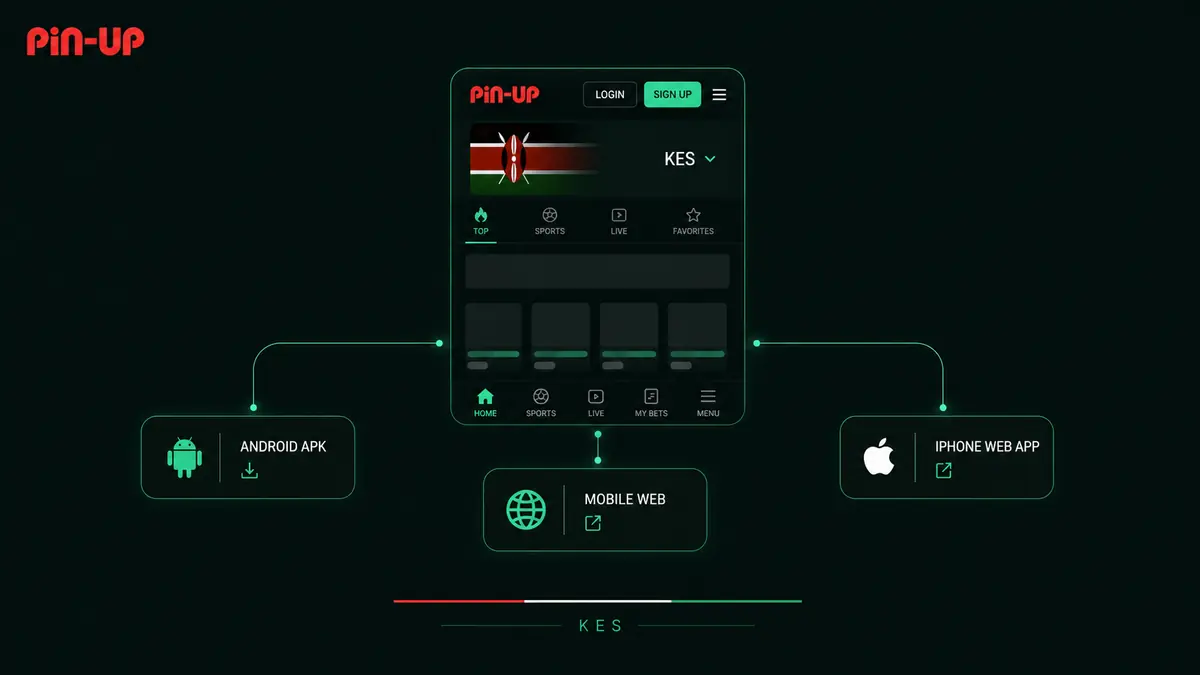
| Access method | Installation | Updates | Best for |
|---|---|---|---|
| Android APK | Manual APK installation from the current verified source | May require a newer APK | Users who want a dedicated app icon and app-style navigation |
| Android browser | None, or add a Home Screen shortcut | Latest web version loads automatically | Users who prefer no APK download |
| iPhone web app | Add the site to Home Screen in Safari | Latest web version loads automatically | iPhone users without a verified native App Store route |
The Kenya-facing guidance describes an Android APK for Android 5.0 or later. Treat that as a published guide value and verify the current requirement on the live download page.
Android warns that apps from outside Google Play can put a device or data at risk. Continue only when you trust and can verify the developer and download source.
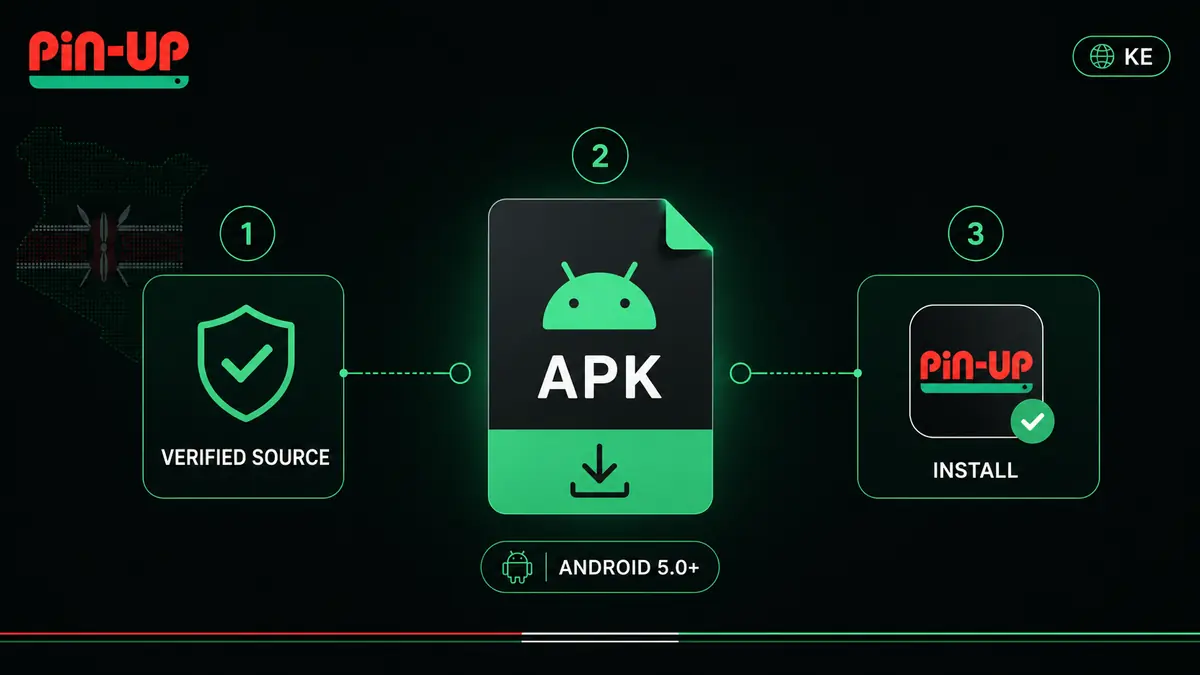
Android menu names differ by phone brand and system version, but the installation flow is usually similar.
Open the verified download route in your browser and save the Android package. Do not rename or modify the file.
If Android blocks the installer, allow installs from the browser or file manager you just used—not from every app.
Open the completed download, review the security warning and permissions, install, then launch the app.
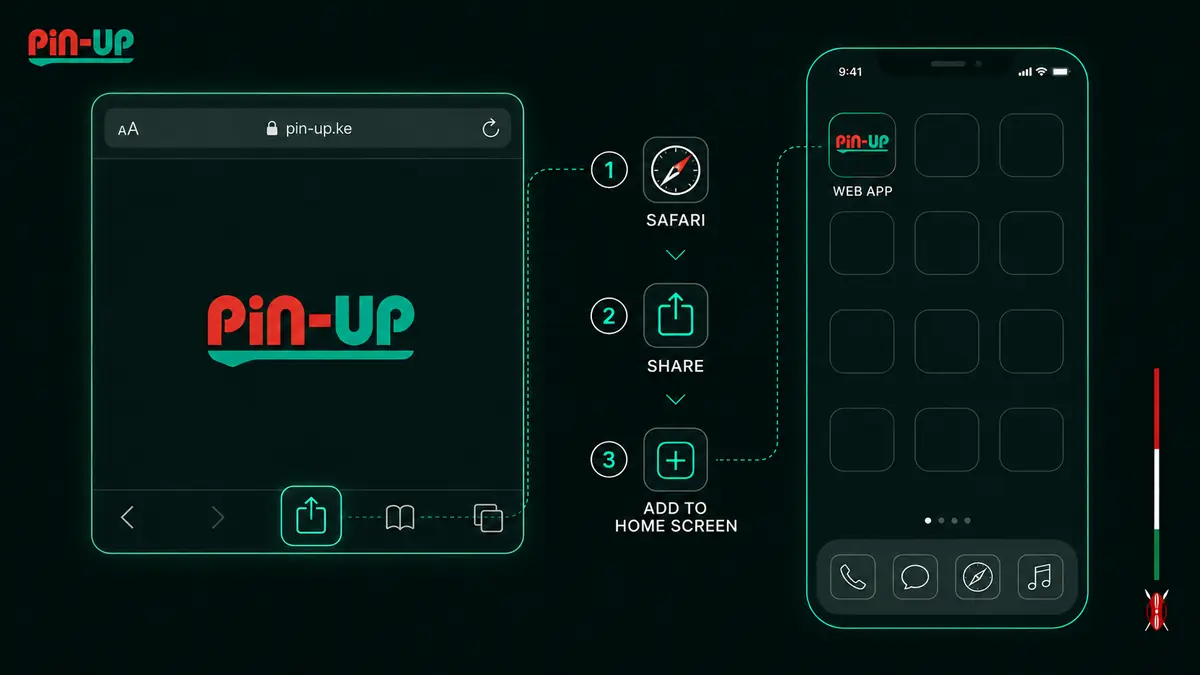
On iOS, use the mobile site in Safari and save it as a Home Screen web app. This provides one-tap access without downloading an Android APK.
Do not install an Android .apk file on an iPhone. If a native iOS listing is promoted later, verify the developer and listing directly in Apple’s App Store before downloading.
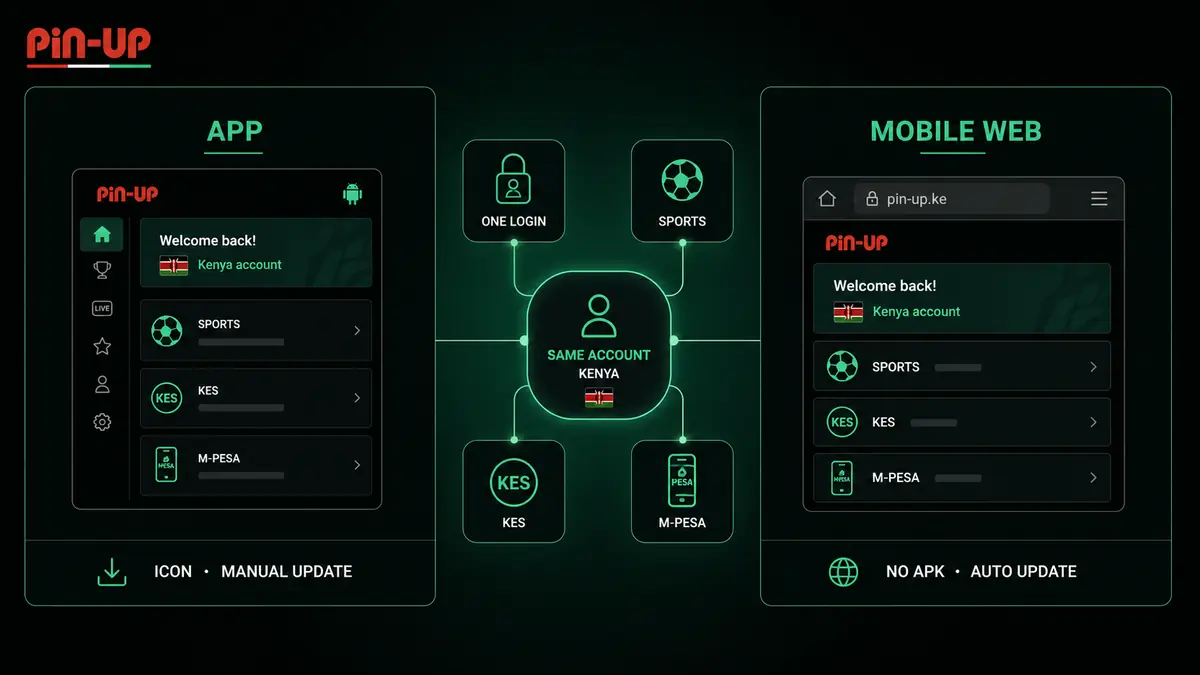
The installed Android app and mobile website are designed to keep the same core account tools within reach. Exact labels and available content can change by account and location.
Use the same registered phone number or email and password across supported mobile access methods.
Browse available sports, live events and games from the compact mobile navigation.
Open deposit and withdrawal tools, including M-Pesa when it is available in your account.
The Android app gives you a dedicated icon and may provide app notifications or app-only promotions when offered. The browser version uses no APK, takes no installation space beyond normal browser data and usually updates automatically.
If storage, security prompts or manual updates are a concern, start with the mobile website. If you install the APK, keep a record of the verified download route so you can check for later versions.
An older Android build may stop loading, miss features or show a version warning. Update only through the same verified current route used for the download.
| Version | How updates work | What to do |
|---|---|---|
| Android APK | A newer APK may need to be downloaded manually | Download the current file and install it over the existing app; do not uninstall first unless official instructions require it |
| Android browser | The website loads its current version | Refresh the page or clear only the site cache if a stale page persists |
| iPhone web app | The Home Screen icon opens the current web service | Close and reopen it; recreate the shortcut only if the icon or URL is broken |
Preserve your login details separately. Never enter a password into an update pop-up or APK page whose address you cannot verify.
Existing users can normally sign in with the same account details used on the website. New users should choose contact details they control and confirm KES before completing registration.
Open Login, enter your registered phone number or email and password, then complete any verification prompt.
Use an active Kenyan phone number or accessible email, select KES and confirm you meet the minimum age.
Use the official password recovery flow or support channel. Never share a one-time code with anyone.
One Pin Up account should work in the Android app and mobile website; do not create duplicates to solve a login issue.
Open mobile loginThe Kenya-facing service lists Kenyan Shillings and M-Pesa for deposits and withdrawals. Current availability, limits, fees and processing times are shown in the logged-in cashier.
If a deposit does not appear, do not repeat it immediately. Keep the M-Pesa transaction code and contact the official support channel shown inside the app or verified website.
Start with the smallest safe fix. Avoid downloading random replacement files when the problem may be storage, connectivity, permissions or an old cache.
| Problem | Likely cause | Safe check |
|---|---|---|
| APK will not download | Weak connection, browser block or low storage | Check Wi-Fi/data, available storage and the browser download notification |
| Installation blocked | Android has not allowed this source | Allow only the browser or file manager used for the verified APK, then switch the permission off |
| “App not installed” | Incomplete file, incompatible Android version or conflicting package | Delete the failed file, verify requirements and download the current APK again |
| App opens to a blank page | Old build, cache or network issue | Restart the app, change network and check for a verified update |
| Login rejected | Wrong credential format, password or verification state | Use the registered phone/email and official password reset flow |
| iPhone icon does not work | Old shortcut or changed route | Delete only the shortcut and add the current page to Home Screen again |
An APK is an installable program, so source verification matters more than speed. This page is a guide and does not guarantee or certify a third-party file.
Use the current operator route, check the page address carefully and avoid search ads or messages that imitate a download button.
Install system updates, leave malware scanning enabled and reject unrelated access to contacts, SMS, accessibility or device administration.
Use a unique password, never share one-time codes and check every M-Pesa prompt before entering a PIN.
Responsible use: the Pin Up app includes real-money gambling for adults. Set deposit, stake and time limits, never chase losses and stop if play is no longer affordable or controlled.
Research references: Kenya-facing Pin Up page, Google Android installation guidance and Apple’s Add to Home Screen instructions. Checked 3 September 2026.
Quick answers about the Pin Up APK download, Android installation, iPhone access, updates, login and M-Pesa.
Open the current Pin Up Kenya page in your phone browser and use its Download App route. On Android, review the APK source and installation prompt before continuing. On iPhone, use Safari to add the mobile site to the Home Screen when no verified App Store listing is available.
The Kenya-facing Pin Up page describes an Android APK and lists Android 5.0 or later. Confirm the current requirement on the live download page and avoid third-party APK directories.
Yes. Open the mobile site in Safari, tap Share, choose Add to Home Screen and confirm. This creates a web app shortcut without claiming that a native iOS app is currently listed in the App Store.
If you installed an Android APK, use the verified current Pin Up download page to obtain a newer version, then install it over the existing app. A browser or iPhone Home Screen web app normally loads the latest web version automatically.
Yes. Use the same registered phone number or email and password in the app or mobile site. Reset access through official support if you cannot sign in, and never share a password or verification code.
The Kenya-facing service lists KES accounts and M-Pesa payments. Check the logged-in cashier for current availability, limits, fees and processing estimates before starting a transaction.
Android users can choose the Pin Up APK or mobile browser. The APK provides a dedicated installed app but may need manual updates; browser access avoids sideloading and loads the current web version. iPhone users can create a Safari Home Screen web app for one-tap access.
Whichever route you choose, verify the current source, protect your login and M-Pesa details, and check live requirements before every new download or update.
Pin Up App Kenya · Android APK · iPhone web app · KES & M-Pesa* · 18+
Download app